
Not Brand New: A Late-2025 Launch
Agent Mode wasn't announced for the first time in 2026 — it arrived alongside the Gemini 3 model family in late 2025, giving Gemini the ability to break a complex goal into a sequence of smaller tasks ("Reasoning Chains") and execute them one by one.
What's Changed Since Launch
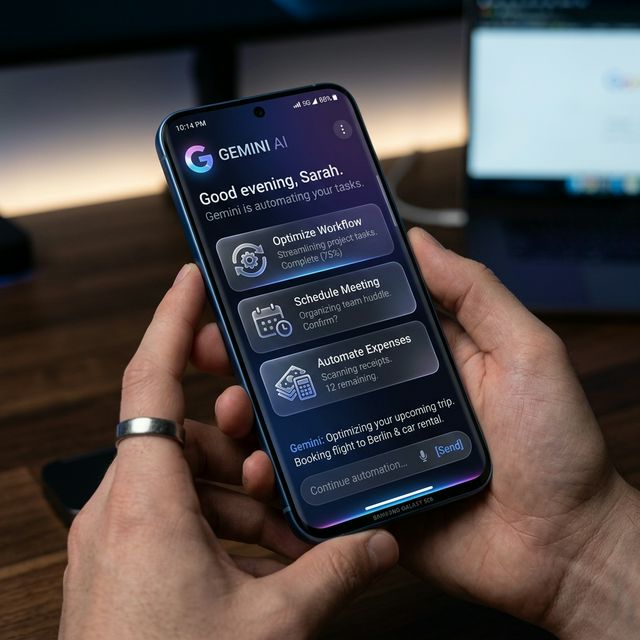
By mid-2026, Google has pushed Agent Mode further in two directions. On Android, Gemini's agentic features now let it handle multi-step tasks like booking rides on Uber or ordering food through GrubHub or DoorDash, navigating apps in a sandboxed environment while the user monitors or steps in. The feature debuted as an early preview specifically on the Samsung Galaxy S26 and Pixel 10.
Separately, Google introduced "Gemini Spark," a persistent personal agent for Gemini Apps users that connects to Gmail, Calendar, Docs, Sheets, and Slides to manage ongoing workflows and scheduled tasks rather than one-off requests.
Access
Agent capabilities are rolling out in phases. The fullest version currently sits inside the Gemini app for Google AI Ultra subscribers in the US, with broader regional and Enterprise/Cloud access expanding over time.
Safety
Google has maintained permission boundaries around agentic actions — external actions still typically require user confirmation, and the system operates within scoped permissions rather than unrestricted account access.
Sources
- Google just unlocked 'Agent Mode' for Gemini 3.1 — Tom's Guide
- Google Gemini AI Releases Agentic Features for Autonomous Task Execution on Android
- Gemini Spark — Your 24/7 personal AI agent for productivity
What Gemini Agent Mode Does
Google's Gemini Agent Mode — expanded broadly in April 2026 — allows Gemini to take autonomous multi-step actions across Google products and connected third-party services. Unlike a standard query, it produces actions: drafting emails in Gmail, creating calendar events, running Google Sheets formulas, booking through Maps — within a single conversation.
Six Months of Real-World Performance
The consistent picture from early users: Agent Mode works reliably on well-defined tasks within the Google ecosystem and becomes more error-prone as complexity increases or tasks require multiple non-Google services.
Where it works well: meeting scheduling (reading email threads, finding times, sending invites); document management (finding, summarising, and organising Drive files); and Gmail triage (categorising emails, drafting responses).
Where it falls short: multi-app workflows spanning Google and non-Google services, tasks requiring implicit user preferences not stated in the conversation, and actions with external consequences that can't be undone (where the confirmation requirement limits automation value).
The Workspace Integration Advantage
Gemini Agent Mode's primary competitive advantage is deep integration with Google Workspace — the suite used by an estimated 3 billion people. No competitor has equivalent access to Gmail, Docs, Drive, Sheets, and Calendar through a single AI agent. Microsoft Copilot has comparable depth in the Microsoft 365 ecosystem. Outside these two ecosystems, general-purpose AI agents rely on third-party APIs and OAuth connections that are less reliable and less capable.
What Users Should Actually Expect
For individuals deciding whether to use Gemini Agent Mode today: it works well as an executive assistant for Google Workspace tasks — scheduling, email triage, document management. For cross-platform automation or tasks with significant external consequences, expect to review and confirm results rather than fully delegating. The technology is advancing rapidly; the 2026 version is substantially more capable than the initial 2024 release, and the 2027 version will likely be more capable still. The practical advice: start with low-stakes, reversible tasks and build trust through demonstrated performance before delegating high-stakes workflows.























































Commenting is currently unavailable on this article.